
Map search
Overview
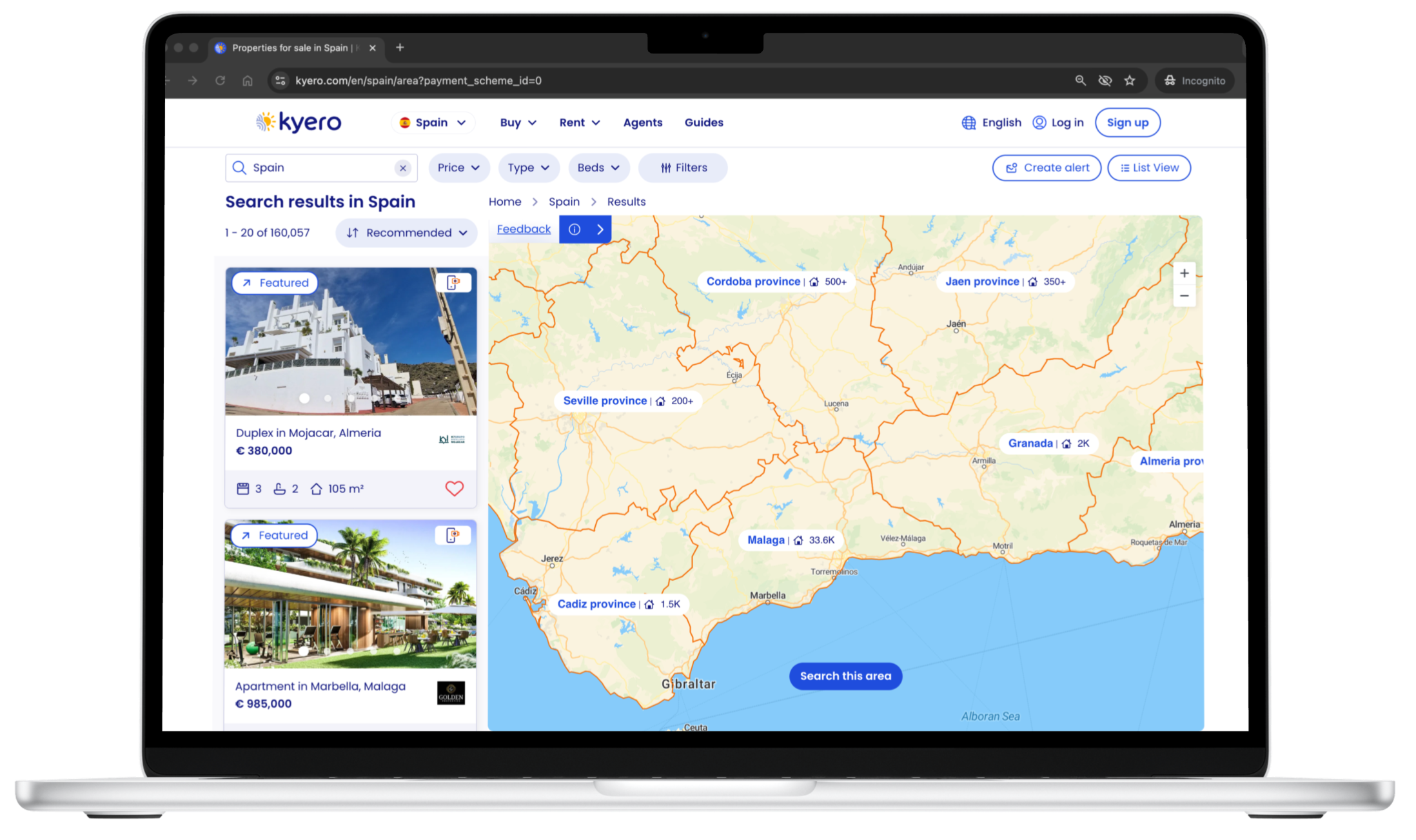
Project: End-to-end UX project delivering a completely new map search feature
Role: Senior UX Designer (end-to-end ownership)
Team: PM, two front-end engineers, two back-end engineers - working remotely, two-week sprints
Timeline: 9 months from concept to delivery
Platform: Responsive web design
Skills: Opportunity ID • User research • UX strategy • Concept to final design • Testing and iteration
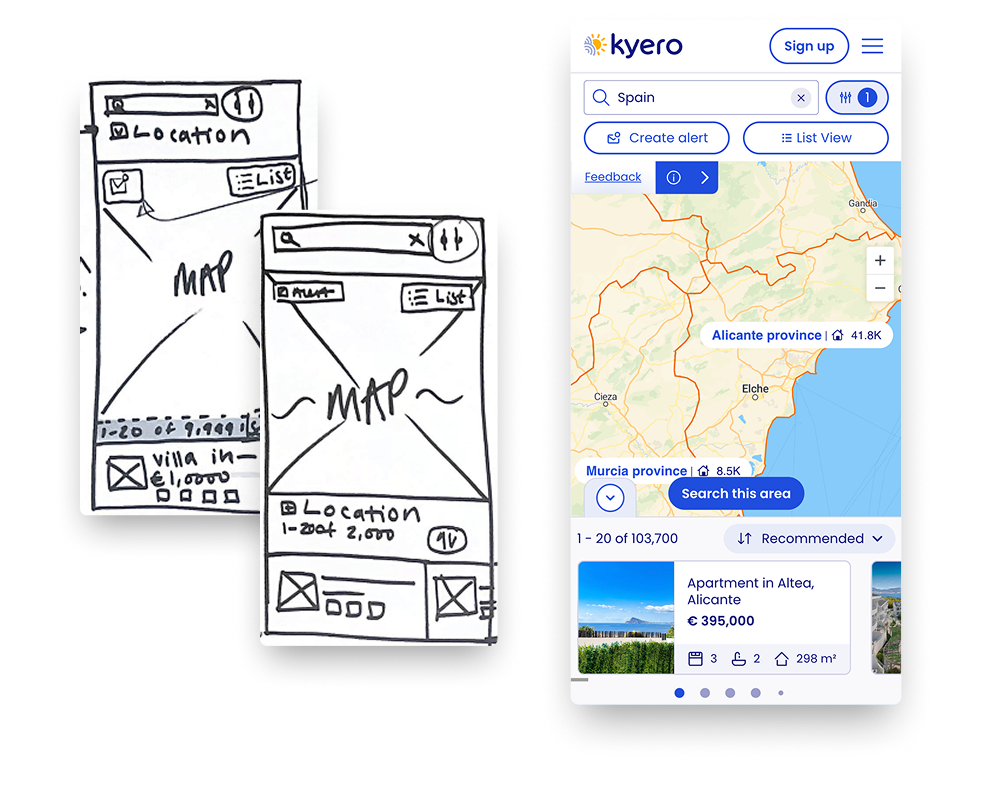

Design journey - mobile
Impact summary
Identified the need for a new map search, pitched it as a priority and led the end-to-end UX process, including opportunity identification, user research, concept development, high-fidelity design and post-launch iteration. Collaborated closely with engineers to deliver a solution within tech limitations, then refined the design based on user research and live data.
Quantified impact, map vs non-map users:
Property views up +130%
Enquiries up +23% per user
Session duration up +74% from 10m to 18m
Business context
Routine user interviews showed that map search was the most requested feature by users. It was an opportunity to enhance the buyer experience while also showing estate agents that Kyero was committed to ongoing site development. Additionally, Kyero needed to update its UX to match industry competitors and user expectations.
Overseas buyers, often unfamiliar with local geography, can hesitate to expand their search into unknown areas. Providing visual context through a movable map encouraged users to expand searches beyond fixed locations, increasing property views and enquiries.
User research through moderated testing confirmed strong demand for map search and additional location information such as schools, transport links and expat data, supporting informed property decisions.
The main design challenge was communicating area-level property locations in Spain, where agents do not reveal exact addresses. So I manage the user expectations of precise pins, and help inform through UI that the search was with clear geographic areas instead.
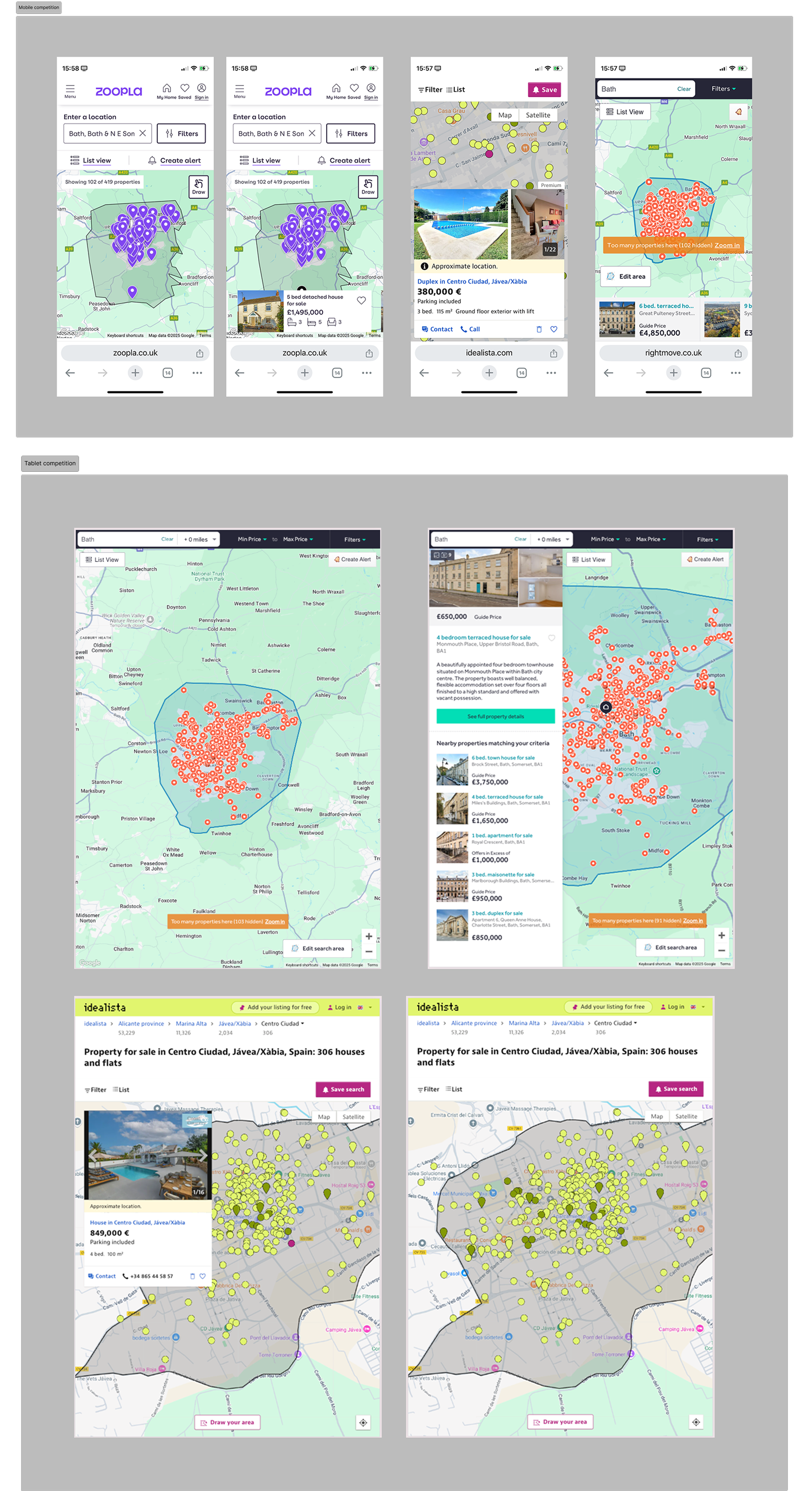
Competative analysis confirms need for map search
-
The need for the map search to take priority in the product road map was highlighted by 72% of users choosing a map search to be their most desired additional feature to the site. This was in response to the following question, asked at the end of a moderated usability test, “If you had a magic wand, what would you add, change or remove from the site?”. From user research, I identified a clear user need, and there was an additional opportunity to develop the map beyond search to include location information (EG expat numbers, schools, transport links, area overviews) to support users in making informed choices on property locations and pitch Kyero as a one-stop-shop expert voice in moving overseas.
These were all key factors in pitching the idea to the engineering lead, marketing lead, and company founders to pull map search to the forefront of the road map.
Further detail:
Problem statements
User problem statement
Overseas property buyers often lack familiarity with local geography, so it’s difficult for them to understand where properties are located, compare areas and gauge proximity to places of interest. As a result, users struggle to widen search areas using a traditional listed property index alone.
Business problem statement
As overseas property portals increasingly offered map-based search as a standard feature, Kyero’s lack of a map search is a competitive disadvantage. This increases the risk of buyer drop-off, lower search engagement and reduced perceived value of Kyero - both for users and for estate agents.
Research challenge
The key research challenge was to validate that map search met real buyer needs, specifically geographic understanding and confidence, while learning how users expected to switch between list and map views during their search journey.

Key UX Documents - affinity mapping, user persona, user journey to map
Impact
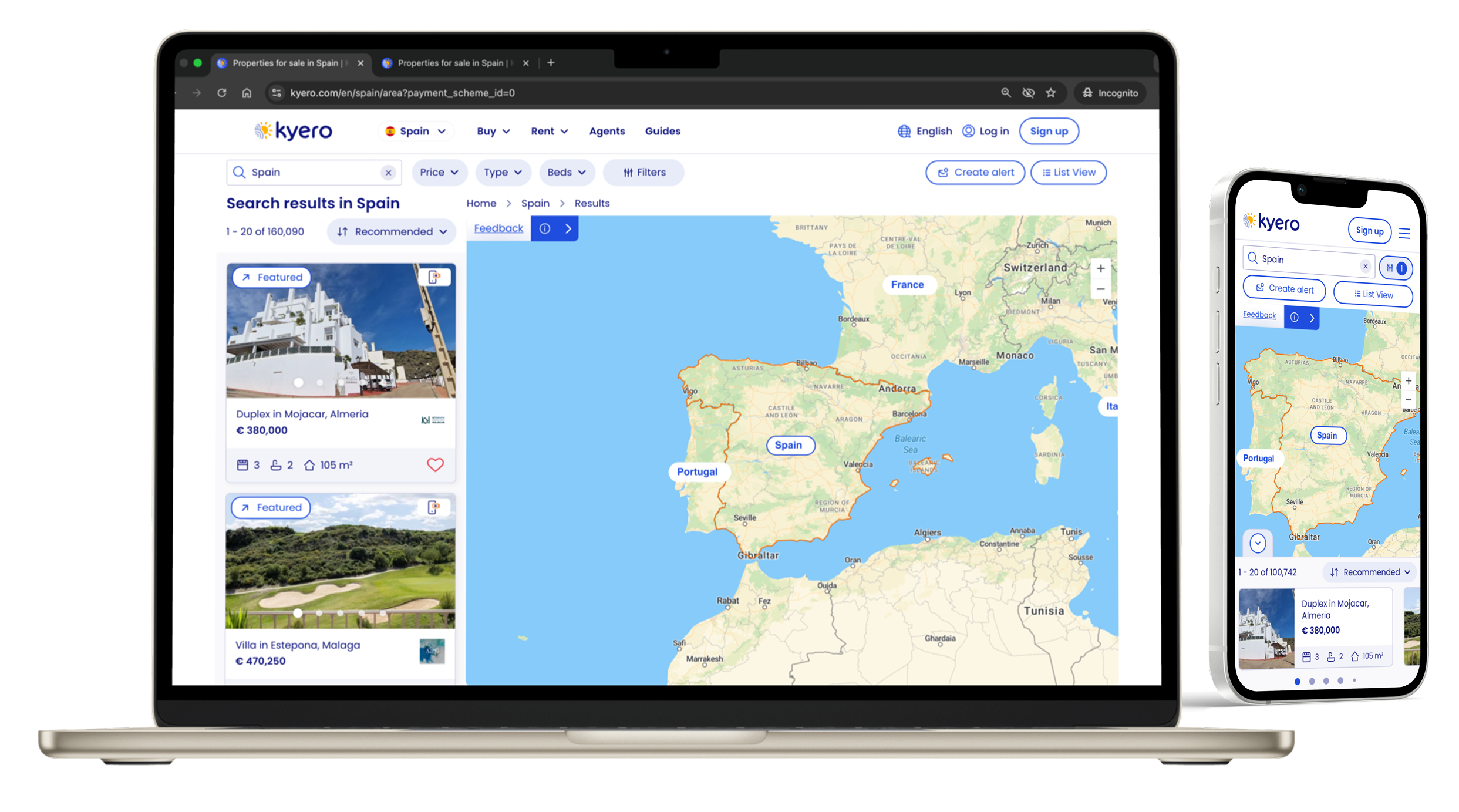
Map search became a core part of the search experience, increasing user behaviour of searching additional locations, resulting in a +16% increase in properties viewed Vs non-map users.
Adding geographic context to the search meant buyers explored more areas, spending longer on the site and viewing more properties.
Introducing map search closed a major competitive gap, bringing Kyero’s search experience in line with other search portals.
Detail: busines and product impact
-
Buyers gained geographic insights when searching overseas areas they were unfamiliar with, improving confidence in location-based decision-making and making it easier to compare areas and properties whilst widening initial search locations into neighbouring areas.
-
Buyers naturally used map search without onboarding, a testament to the clear and predictable design, validating it as an intuitive extension of the existing search experience.
-
The feature strengthened Kyero’s value proposition to estate agents by increasing perceived listing visibility and reinforcing Kyero as a modern, credible platform and the feature was a basis of a marketing campaign to agents, showing Kyero’s dedication to continuous improvement.
-
My research insights and clear pitching created clear goals across product, design and engineering on the need for the map search. This helps in reducing debate and accelerating decision-making. It also helped the commercial team when selling to agents, having a clear story of user need prompting feature delivery.
-
The map search became a headline of Kyero’s agent marketing campaign, with outcomes such as the +130% increase in properties viewed by map users versus regular search users, used to show the value of the feature and reinforce Kyero’s commitment to increasing agent visibility and enquiry potential.
Approach and rationale
Research
All user research was conducted remotely. Existing users were recruited through Kyero’s annual buyer survey and interviewed on Zoom, and new/naive users were sourced and interviewed through usertesting.com test platform.
-
It started with routine usability testing, observing new and existing users using the site without prompting. The follow-up question of, “If you had a magic wand, what would you add, change or remove from the site?” revealed 72% of users would add a map search feature.
-
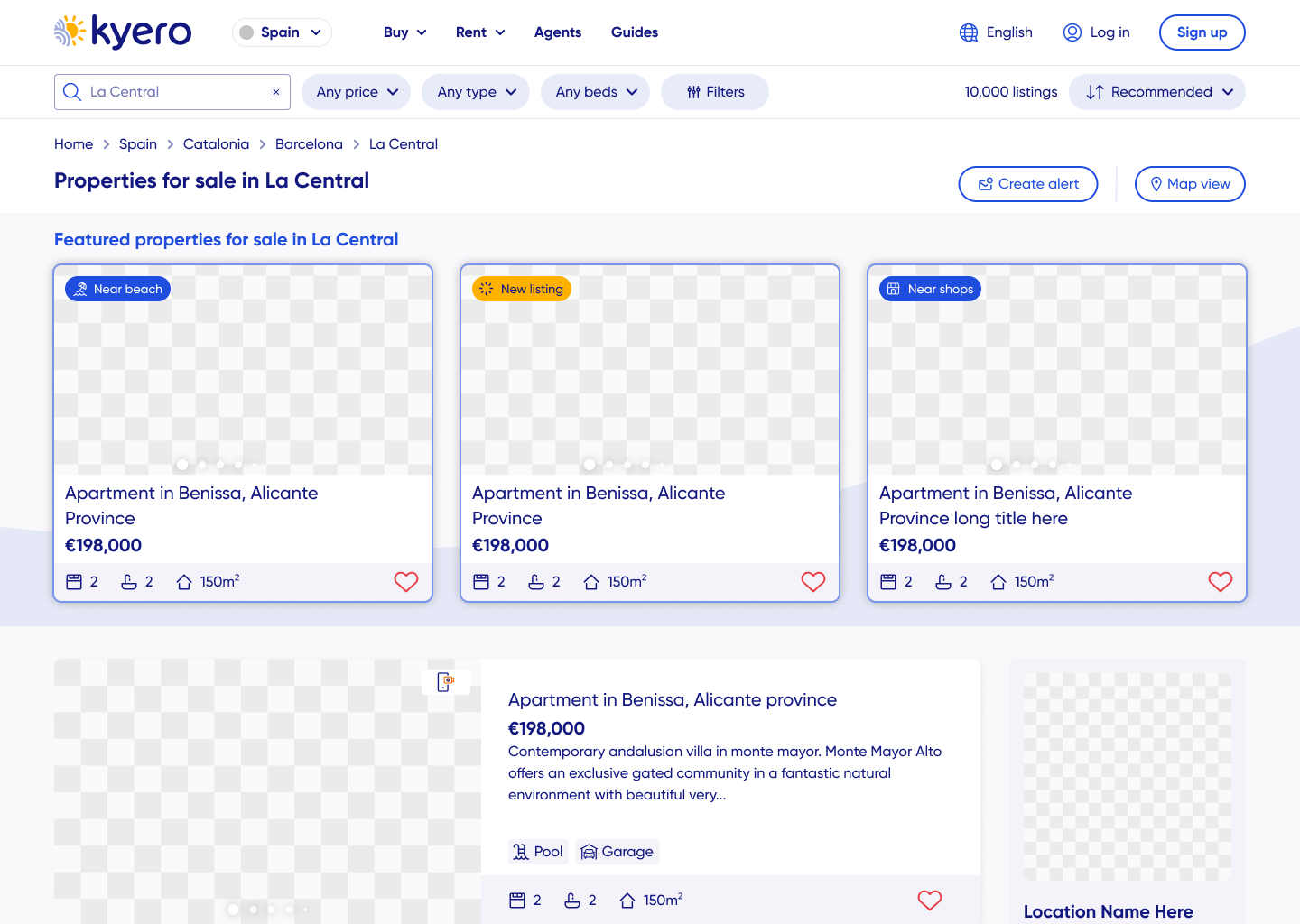
To explore the context in which Kyero sits from a user perspective, I researched other property portals (both domestic and international) to support understanding of users’ expectations around search functionality and UI. This helped define the minimum viable experience for the feature and inform anticipated UI for a map search.
-
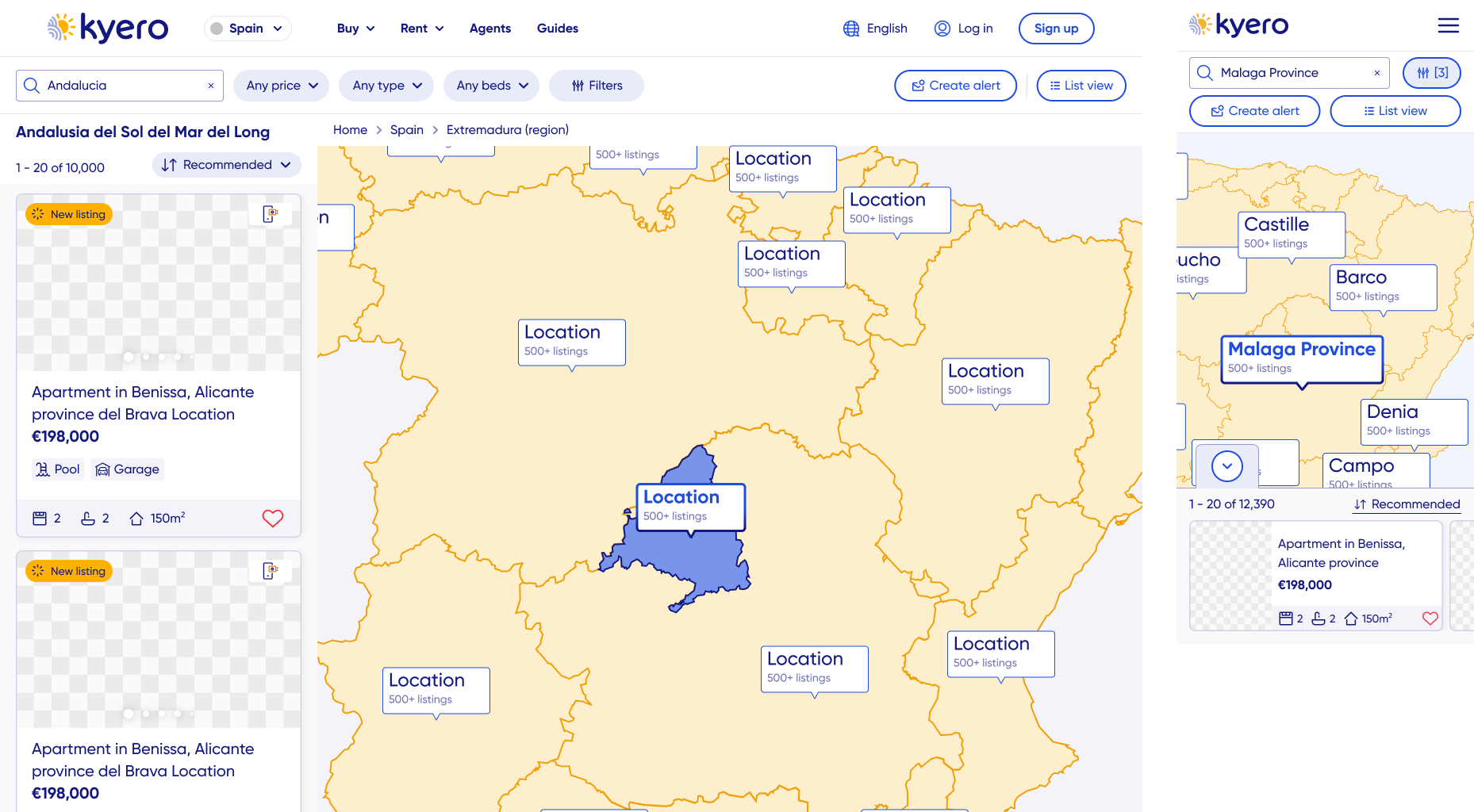
I used lo-fi and mid-fi wireframes to quickly test layout, interaction patterns and expected site behaviours without over-investing time into multiple pixel-perfect designs.
This was particularly useful to iterate the map UI as property locations were shown in general areas, and not exact property pins. This helped in de-risking usability, complexity and performance concerns before development to best utilise engineering capability.
-
Throughout the design and post-launch stages, I tested and refined the experience with hi-fidelity functional prototypes to identify mismatches in user expectations and the final design.
As well as further refining the UI of unspecific property locations, this was useful for testing and refining the transition between map view from the search index and back again.
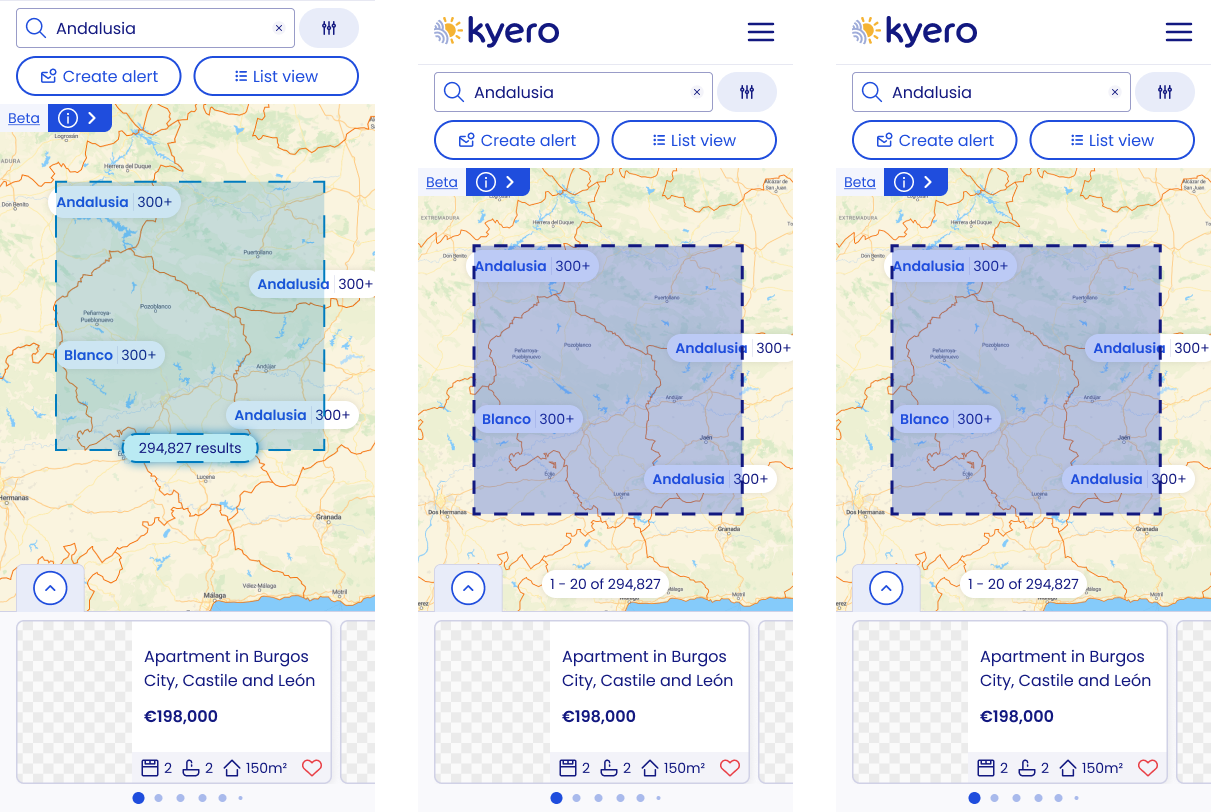
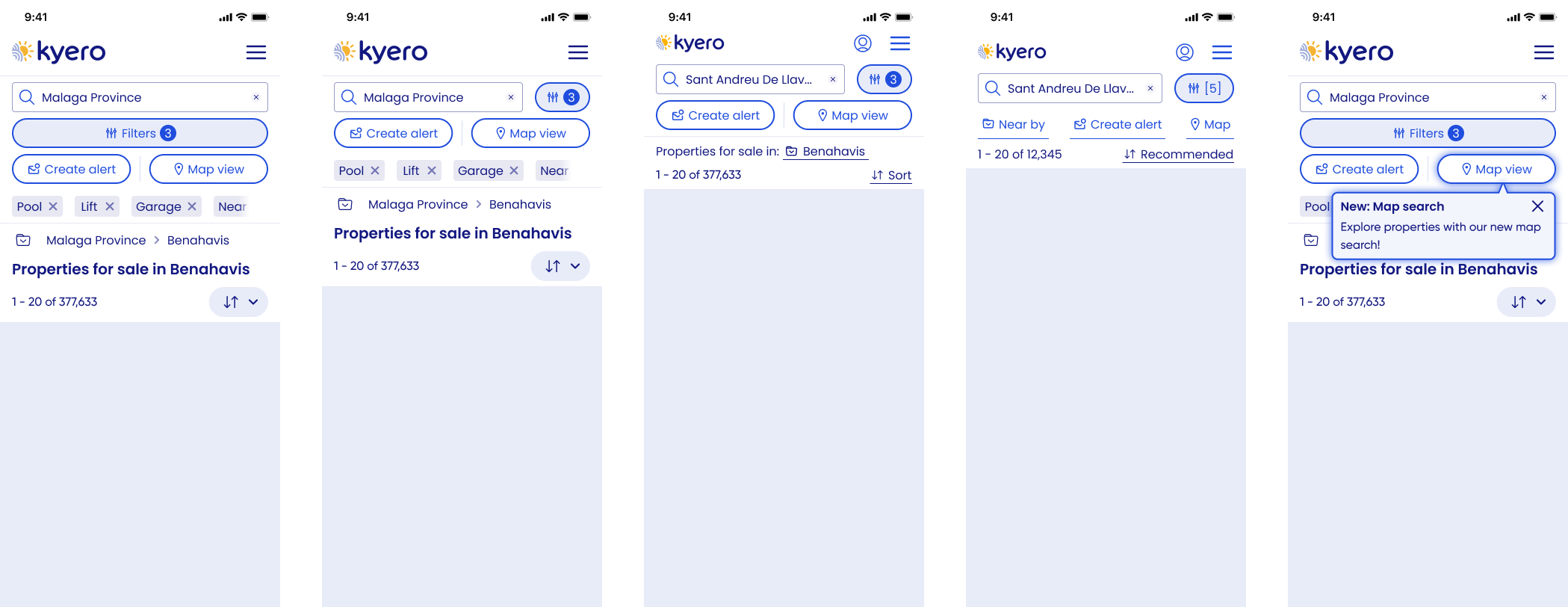
Kyero has an older user demographic (55-75). The early widescreen, minimal interfaces on the map search panel led to some confusion in testing about how to return to map view.
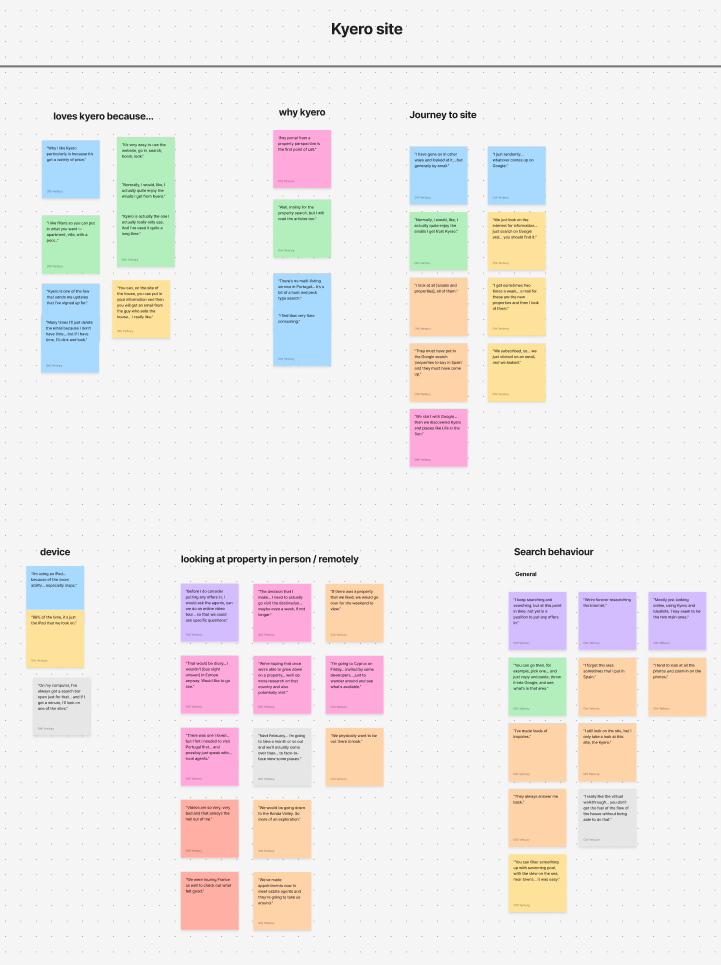
Affinity mapping from moderated useability testing - site feedback
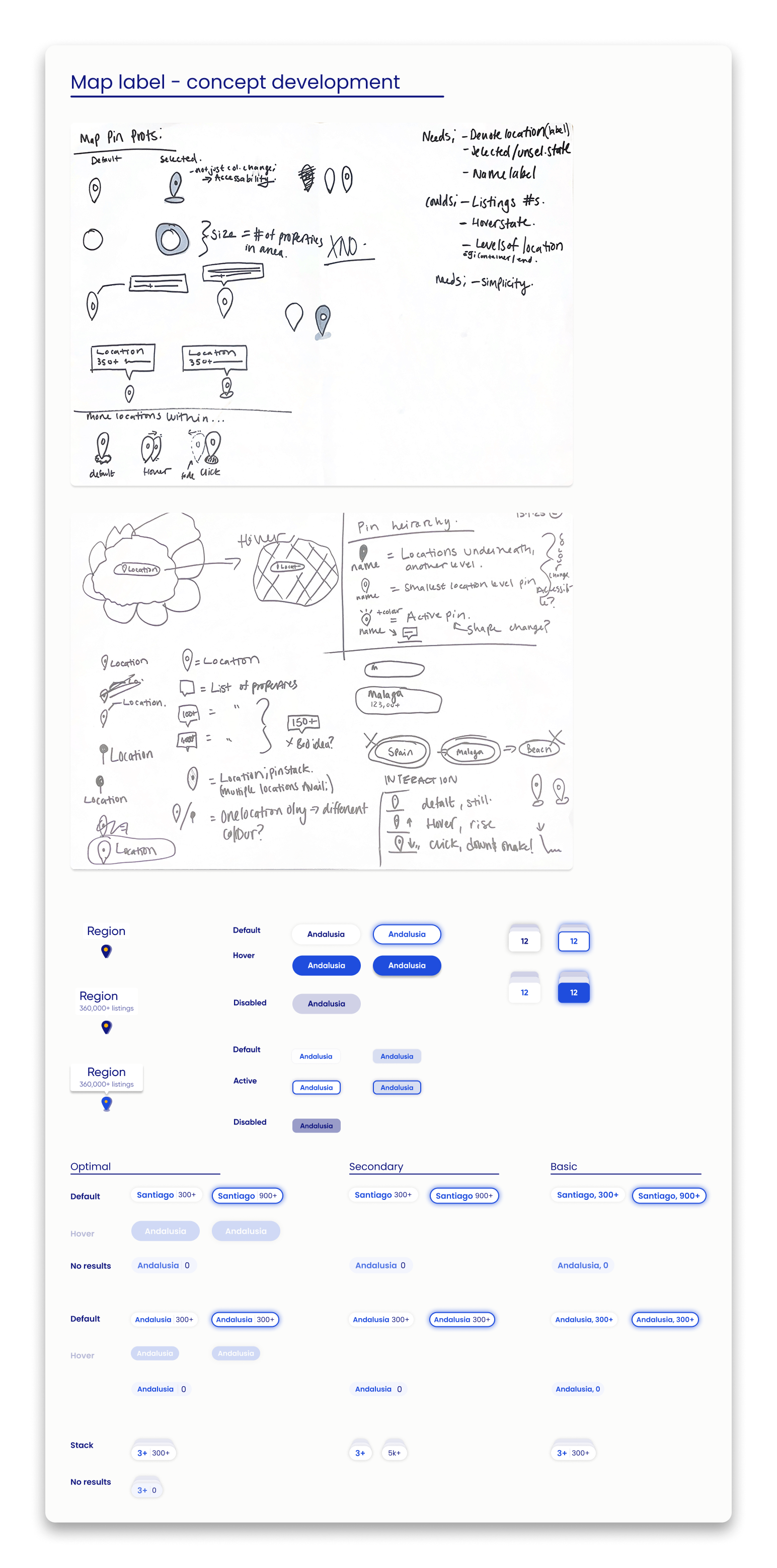

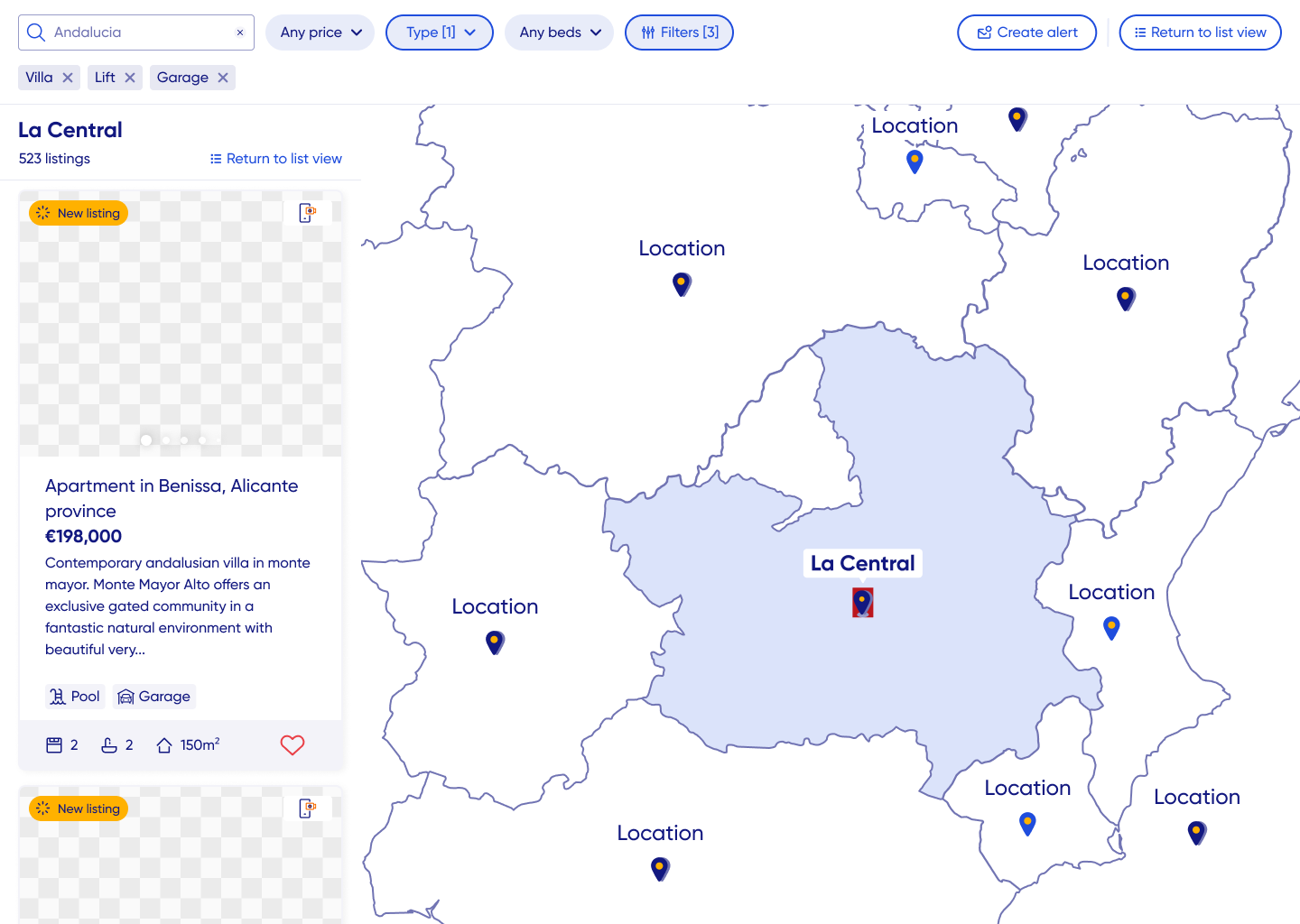
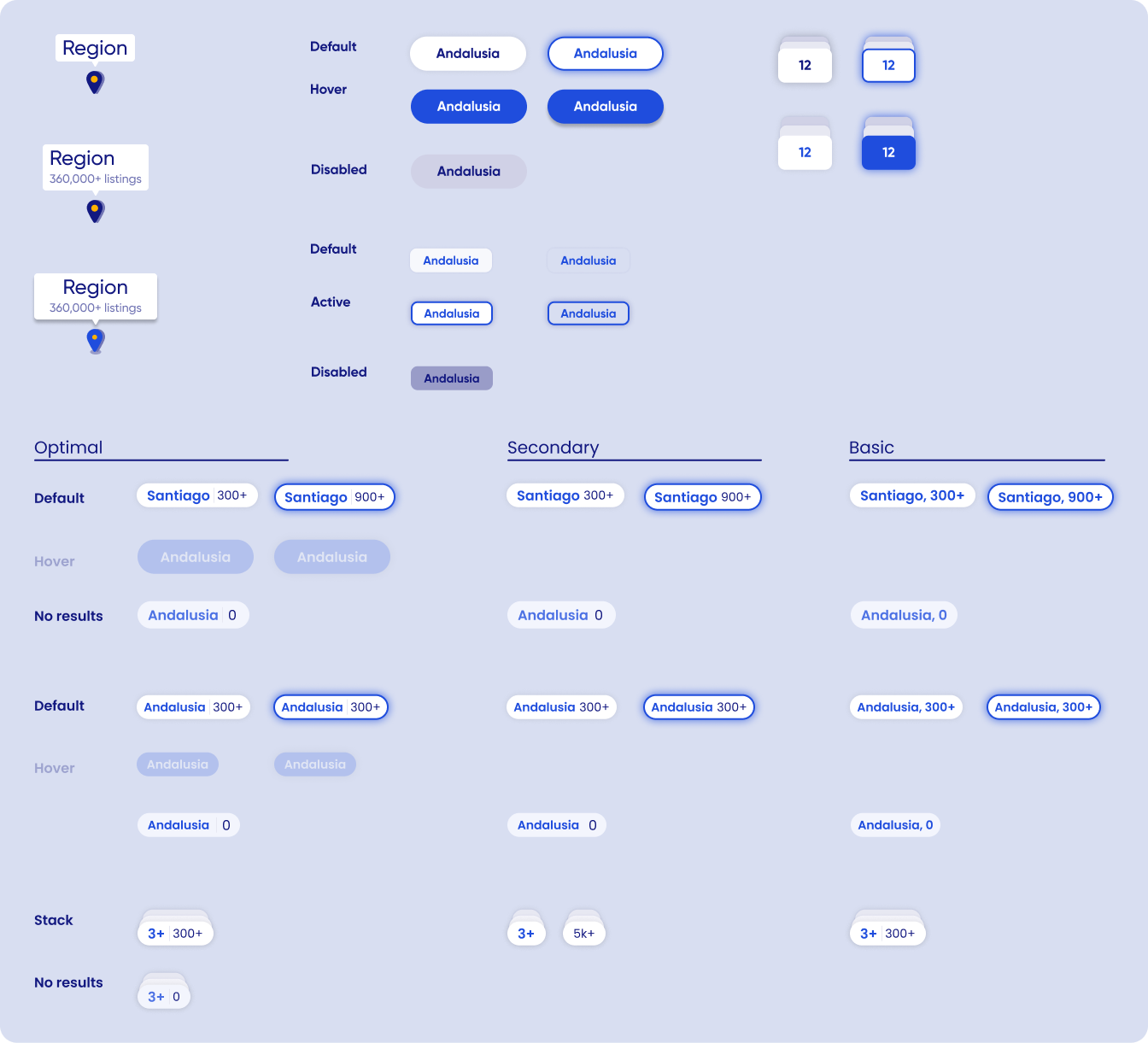
Map label development from lo-fi, through engineering constraints and user testing.
Constraints and revisions
-
The UI challenge of communicating to users that properties are being listed by area and not exact location (unlike other domestic property search portals) meant designs for the map were unique and not already supported by to out-of-the-box map APIs and SDKs.
Engineering used Mapbox with custom front-end additions to achieve the required unique search UI. However, customisations were limited in their design variations so I had to balance, and test, desired hi-fi designs against achievable, deliverable front-end needs.
Frequent user testing and great communication with the two front-end engineers meant I designed, iterated, tested and finally delivered an achievable solution within the tech limitations and importantly, met user needs.
-
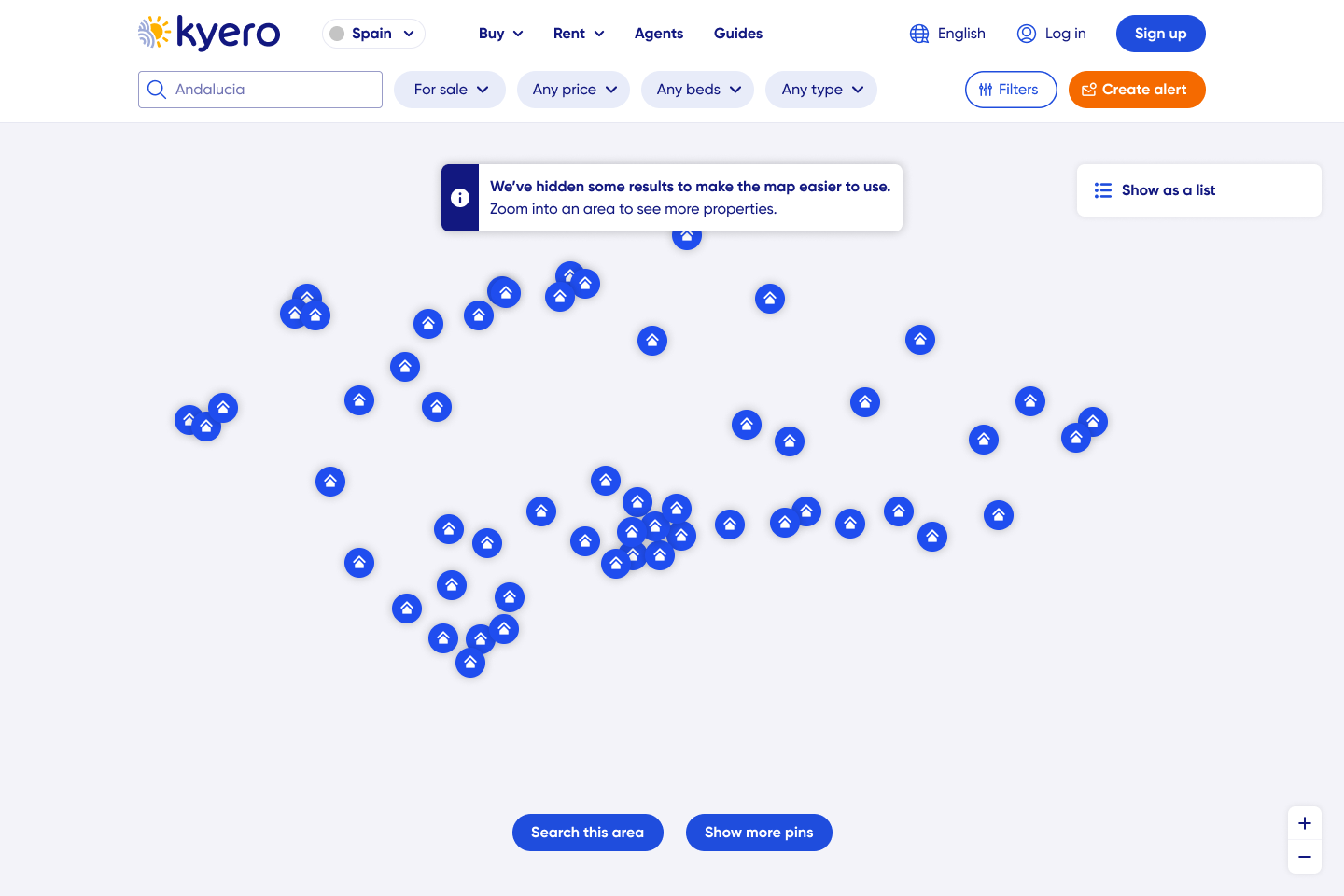
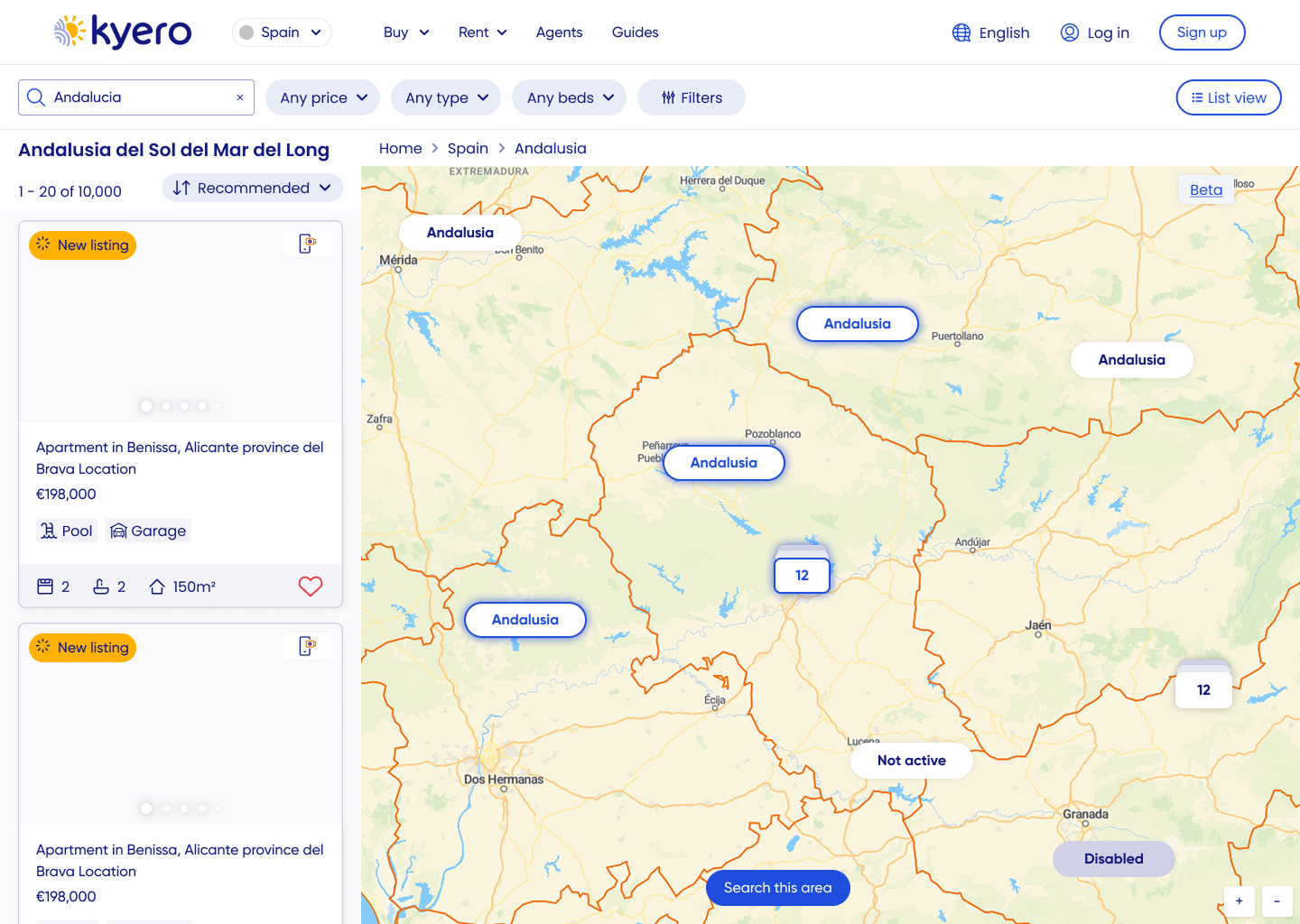
The original map design only updated property results when users clicked “Search this area” or added search filters, which caused confusion when areas were actually empty of results - disappointing users.
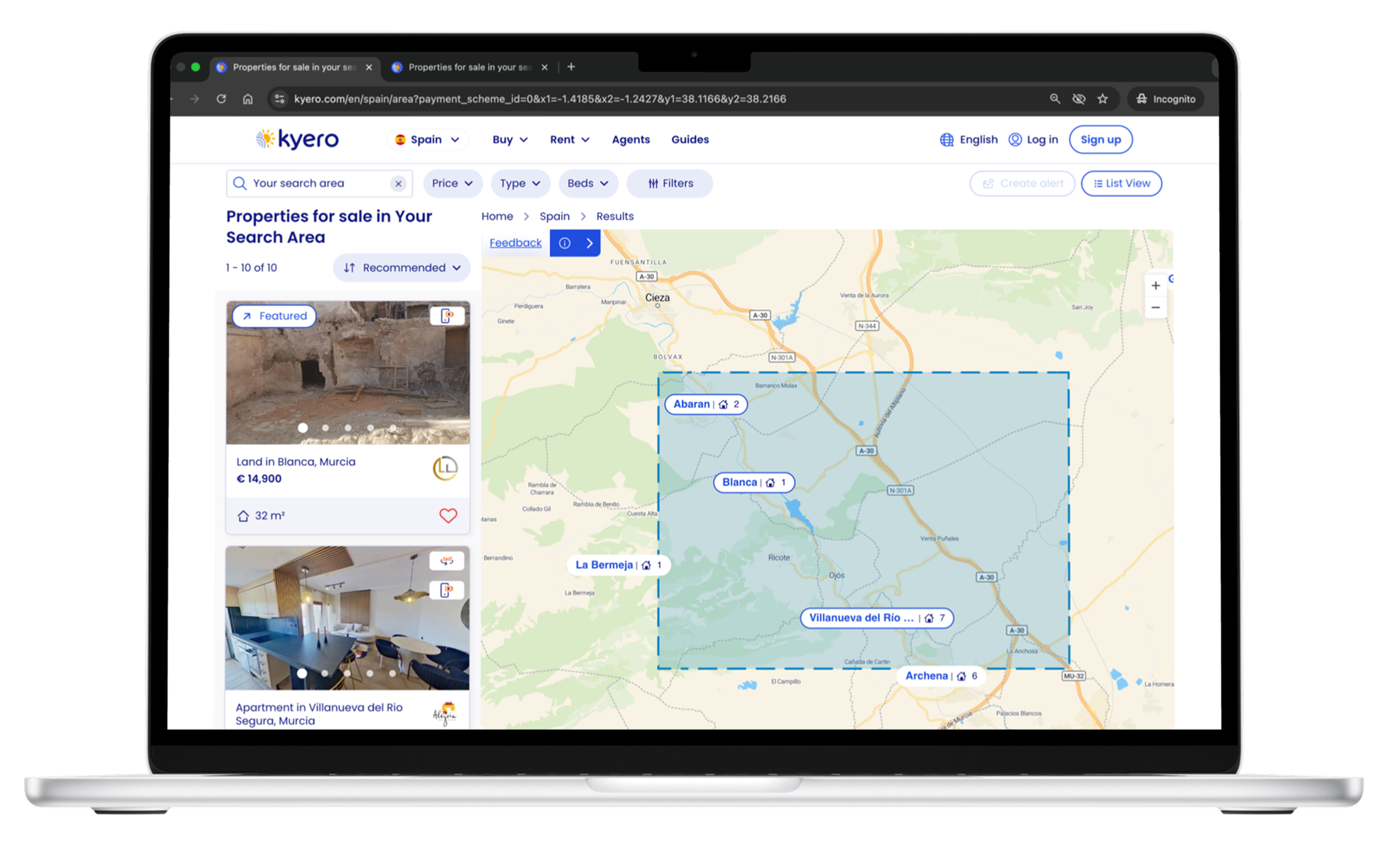
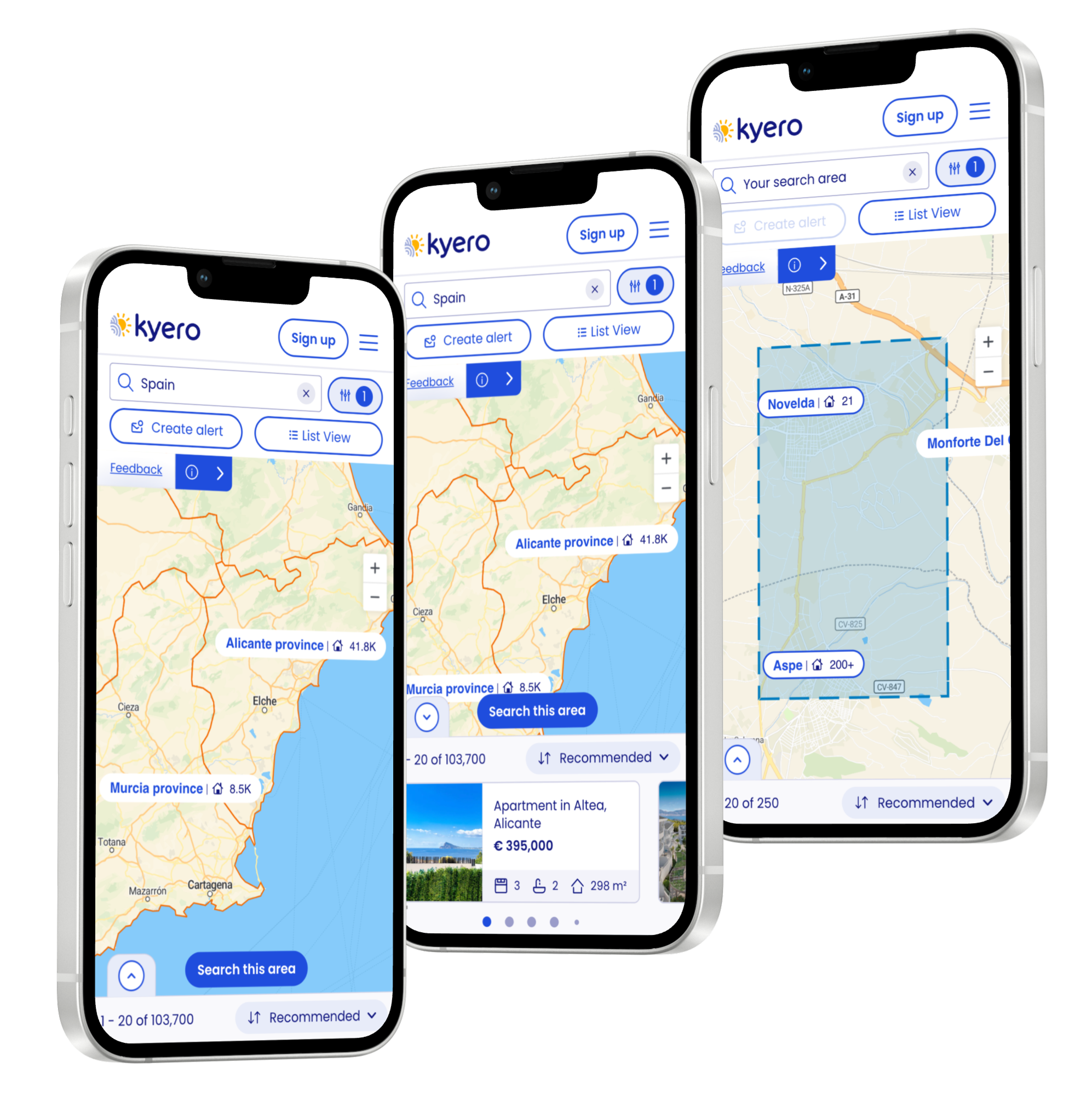
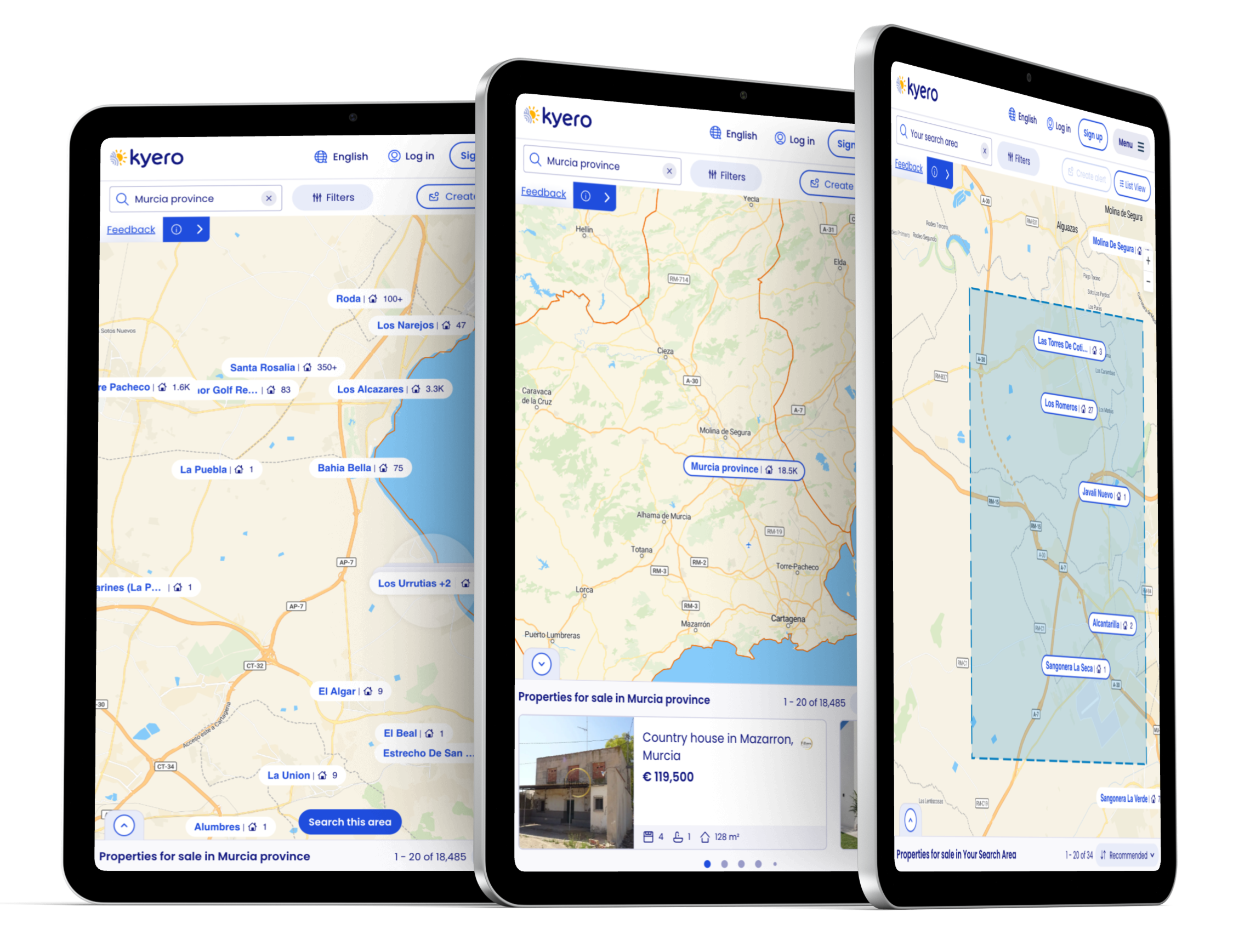
After testing, I advocated for live updates on map moves, including load states and much needed property counts, so users could see real-time results whilst moving the map and applying search filters. Engineering worked on a solution which maintained fast load times, important for SEO, and usability testing showed users loved the instant, informative feedback of the new live updates on location labels.
-
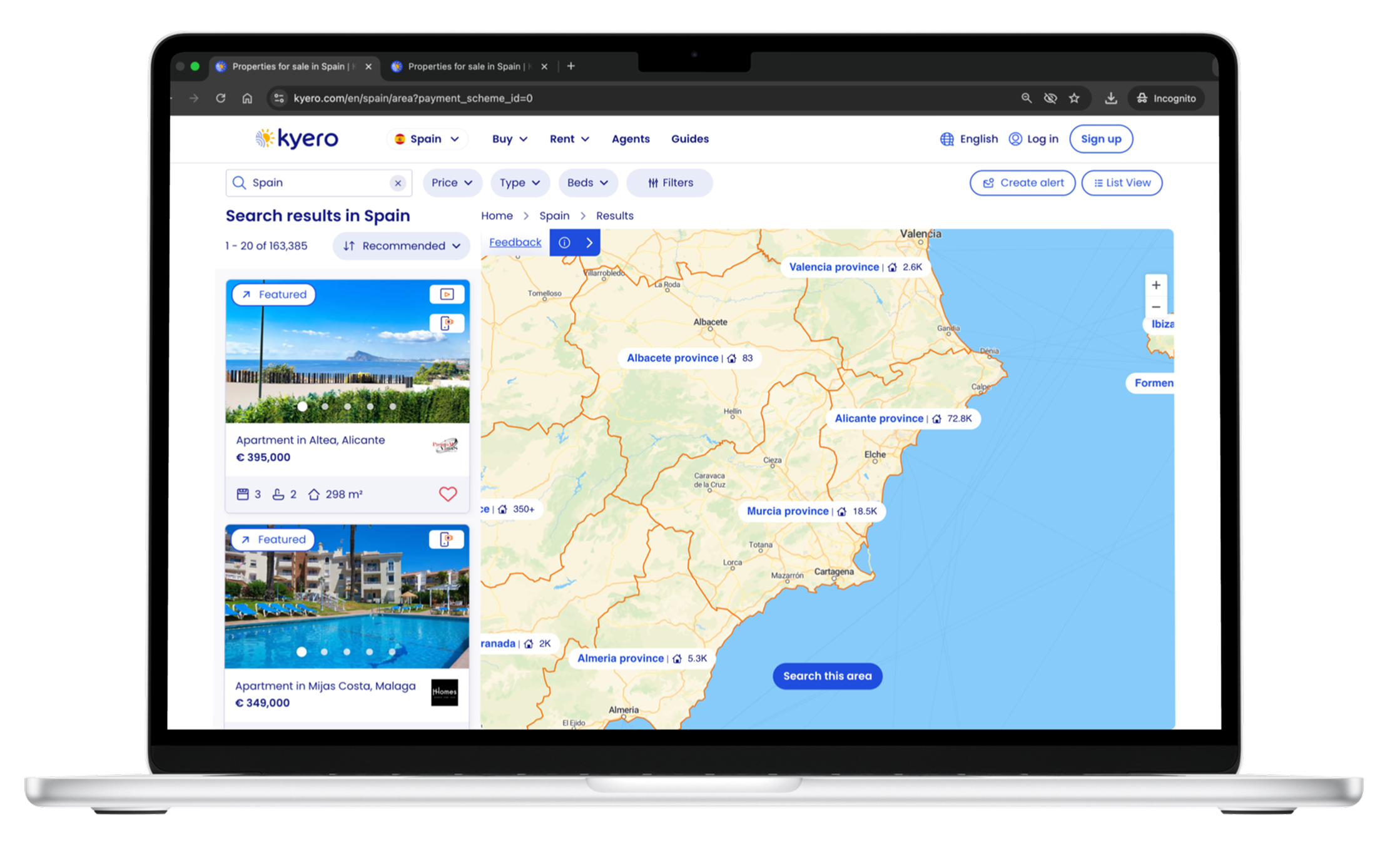
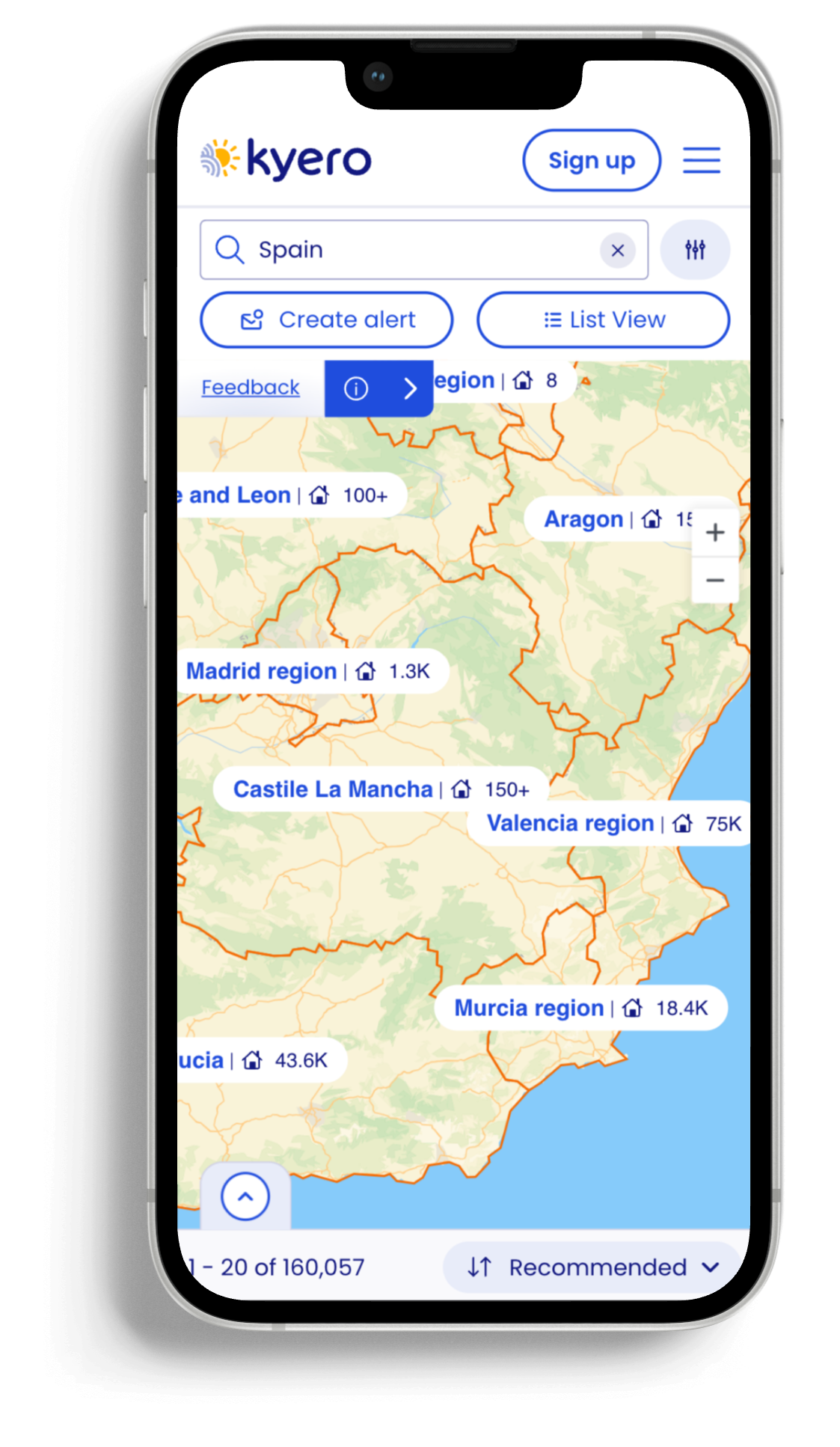
The biggest design challenge was that agents in Kyero’s territories do not share exact property locations. Properties had to be grouped by area, and exact property locations were not used; the challenge lay in communicating this through UI, to users who expected functionality matching their domestic property search where exact locations are revealed. Through the design process I balanced the unspecific property locations with clear geographic context for informed decision-making.
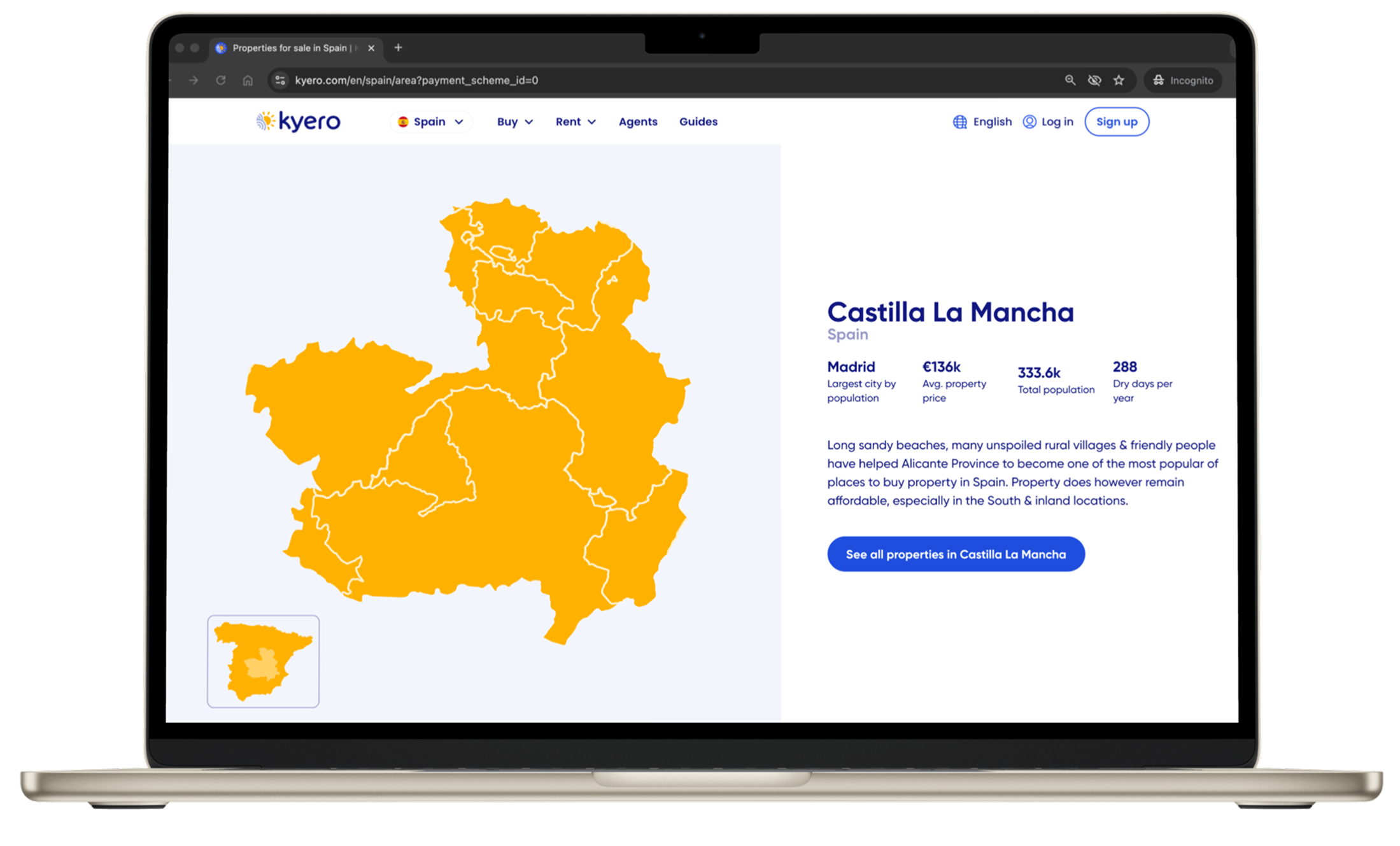
Unreleased: Map location information feature
What we couldn’t do
Adding additional, valuable location information to the map was considered but not implemented. It was beyond engineering capacity to add deeper location and lifestyle content - but would be valuable for users who use the map to explore and dream.
Build advanced map features in the first release because of limited engineering capacity. We had to focus on core map search, with features like saved areas and drawn searches pushed out in the road map.
Show exact property locations due to local regulations
Design exploration
Low-fidelity concepts
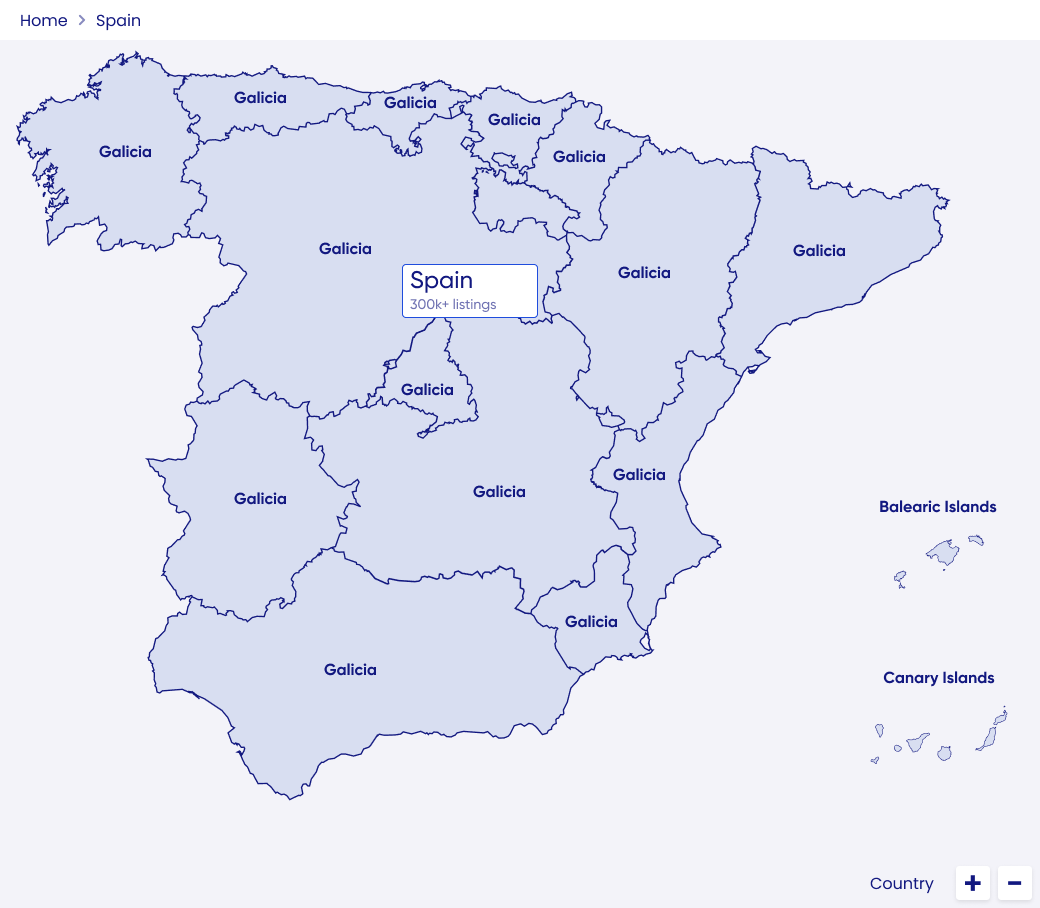
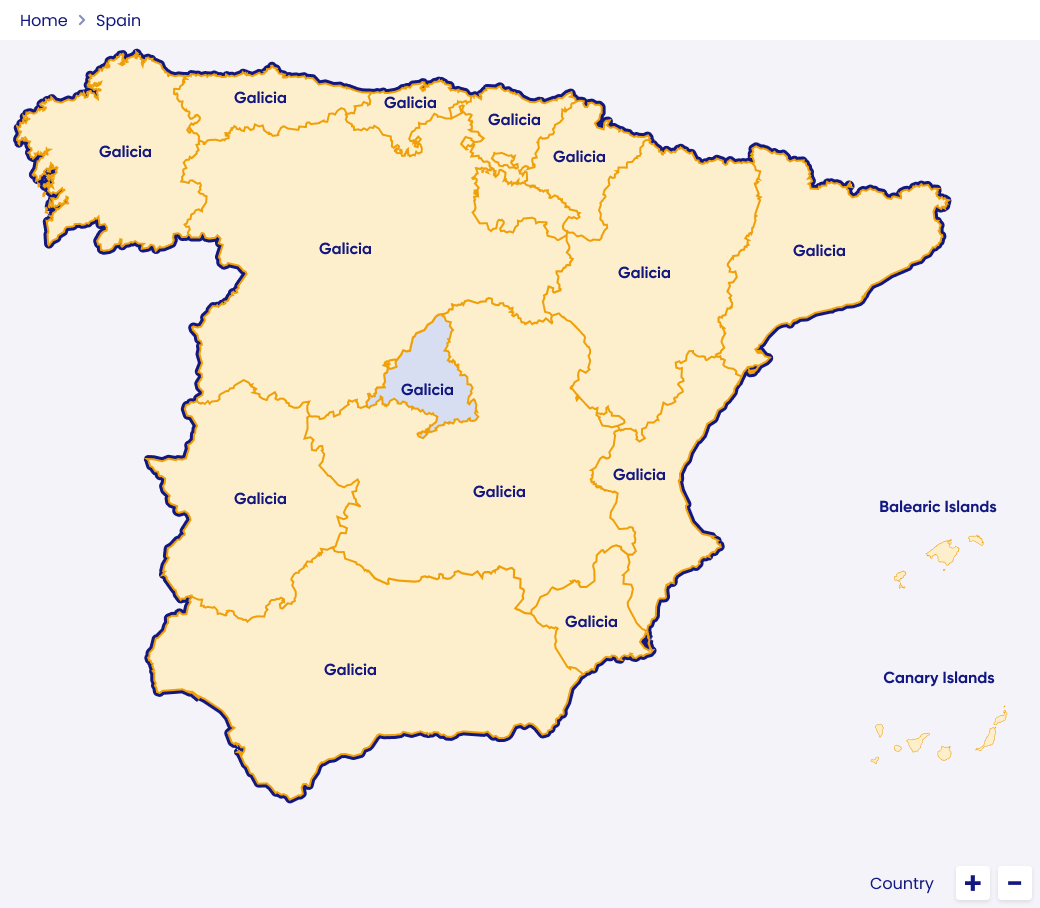
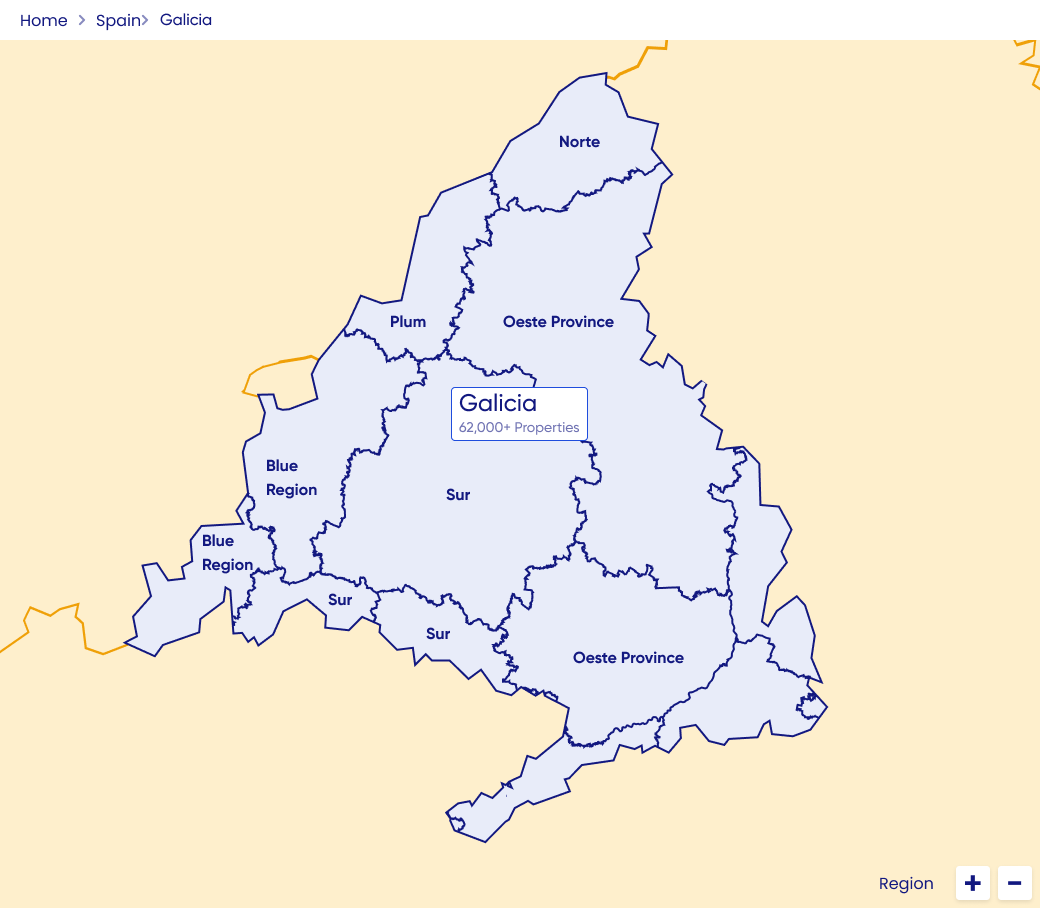
Created lo-fi wireframes to develop concepts and explore layout, including: map to index transitions, property pin representation and ways to communicate area-level (not exact) property locations.
Lo-fi to launch iteration
Incorporated stakeholder input and early usability testing to refine concepts before prototyping. Iteration continued post-launch, using live user data and feedback EG renaming “beta” to “feedback”, increasing understanding for older users.
Lo-fi sketches, wireframes and iteration examples
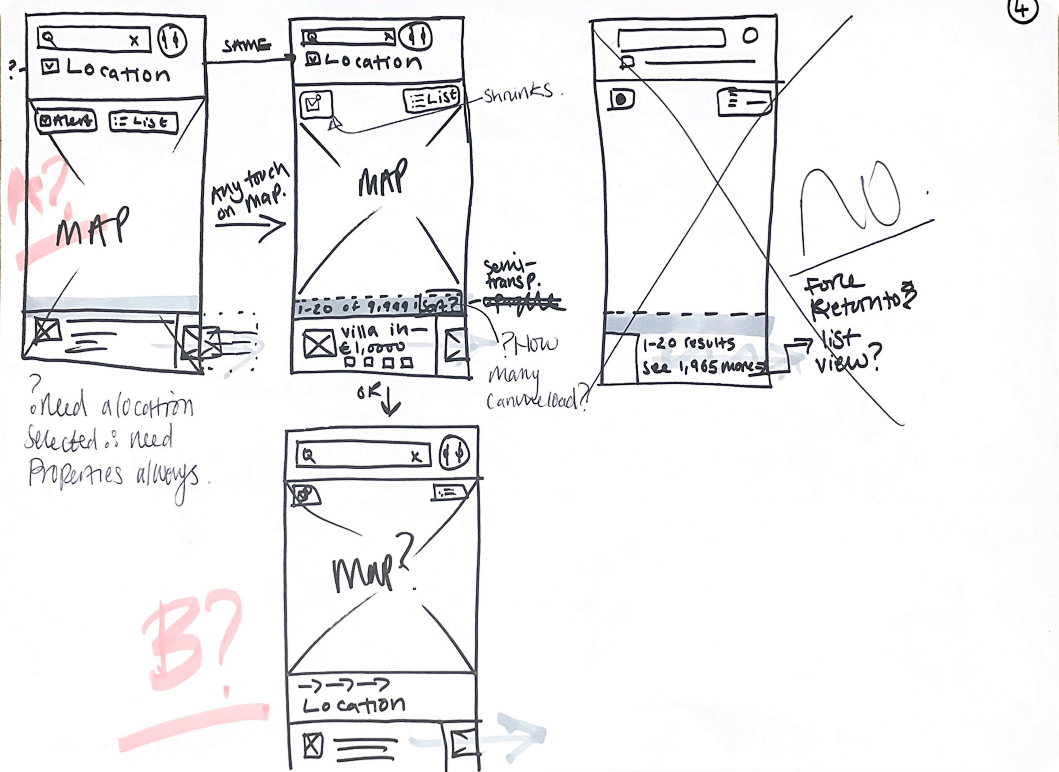
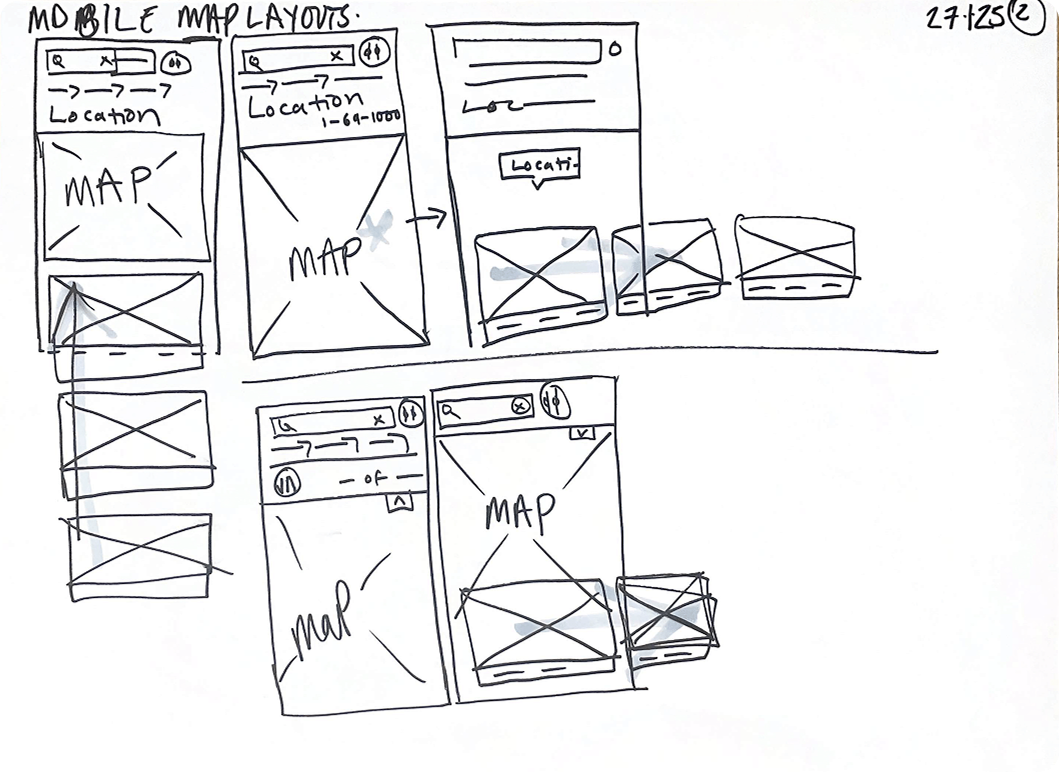
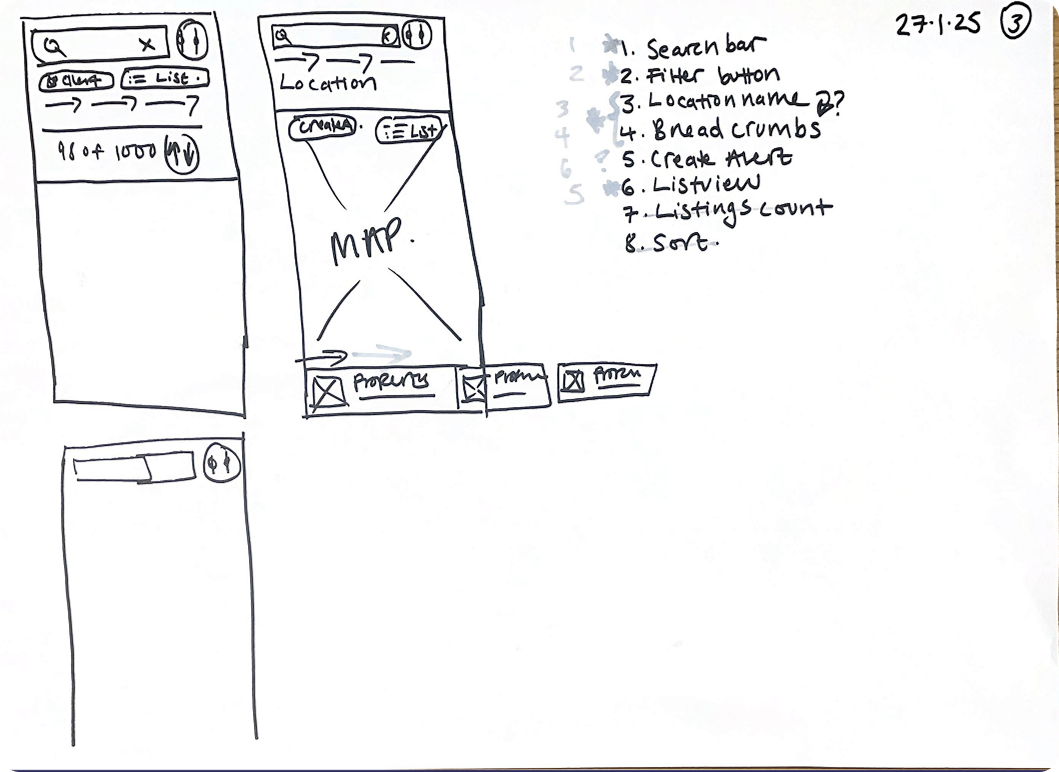
Lo-fis were useful for taking stakeholders on the design journey, from the beginning
Outcomes
Property views up +130%, from 6.1 to 14.04
Enquiries up +23%, from 1.8 to 2.22 per user
Bounce rate down -17%, from 27.41% to 22.6%
Session duration up +74%, from 10m41s to 18m41s
Insights from the first six weeks of the feature being live to all users.
By adding map-based exploration to search, users felt more confident expanding beyond fixed locations, leading to broader area discovery and improved engagement.
Introducing live property counts and clearer navigation cues reduced confusion, particularly for older users, enabling intuitive adoption without onboarding or increased friction.
Post-launch analysis showed map users viewed +16% more properties per session, validating that the map search improved user confidence to meet business goals.
Live design
Further outcome detail:
-
Users unfamiliar with local areas often hesitated to expand search boundaries to include neighbouring towns when listed as a suggested area in the search index view. Providing a map view increased ease of area exploration and encouraged buyers to search for properties beyond their search locations.
Result
This insight justified the addition of map view to property search, as it expanded search location engagement and property discovery.
-
Users were confused when areas appeared empty under the original “search this area” model. Real-time property counts and load states which are responsive to search filters and map movements made interactions predictable, location labels informative (with property counts) and ultimately reduced frustration.
Result
Implementing live updates directly improved usability, whilst maintaining fast load times, and increased dwell time on the site and the number of locations searched.
-
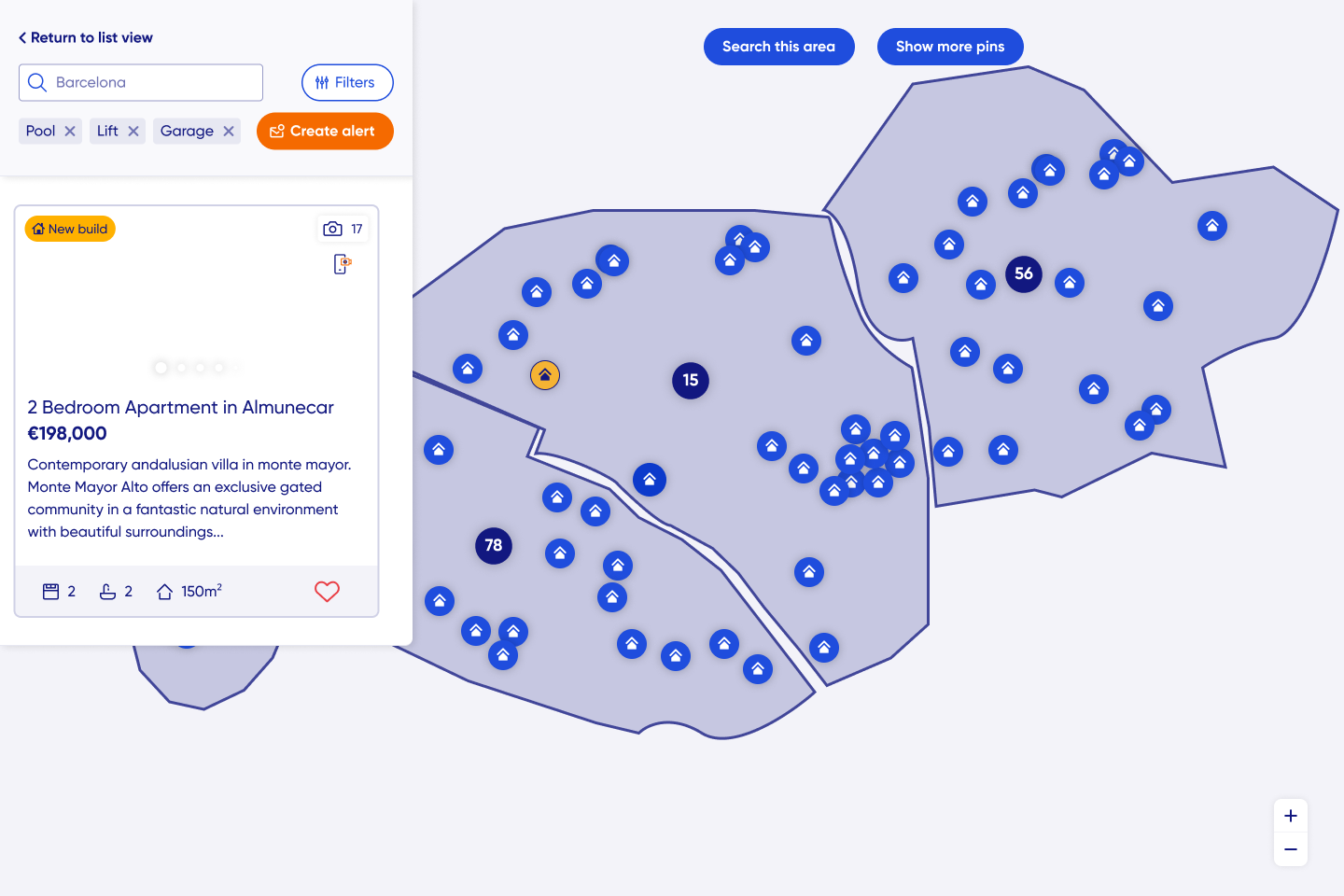
Wide-screen map interface caused confusion for some older users (Kyero’s main demographic). A fixed, clear “list view” button and informative icons resolved navigation issues, maintaining UI expectations established by industry competition while adding new value to the Kyero search.
Result
The approach minimised learning friction, supporting adoption without alienating existing users and also ensured older, less tech-savvy users were able to return to the map - reducing search abandonment and site exit risk.
Final design
Reflections and skills
End-to-end ownership
Leading all the research, ideation and design gave me complete visibility over the feature, resulting in outcomes that balanced user needs, technical constraints and business goals.
Iterative validation
Multiple rounds of usability testing allowed me to de-risk assumptions early, validate interactions, and refine accessibility for an older user demographic.
What I would do differently
A key learning for future projects, especially those with new functionality, is to engage with engineering earlier to understand the software and design limitations. This helps make early concepts realistic, improves efficiency and reduces the need for repeated iteration during design and build.
Stakeholder and business influence
Pitching the opportunity supported by user insights meant aligned leadership, PM and engineering teams - which helped prioritise map search over other roadmap features. Lo-fi concepts and mid-fis were effective tools for taking stakeholders on the design journey and something I will repeat.
Skills demonstrated
Opportunity identification and prioritisation based on user research and market analysis
End-to-end user research, concept creation and lo to hi fidelity design
Product thinking with focus on user experience, business goals and positioning in competition
Stakeholder management and cross-functional collaboration with engineering, PM and commercial
Iterative design and decision-making informed by usability testing and live performance data
Designing for responsive performance, accessibility and older user demographics
Balancing technical constraints with user needs to deliver feasible solutions
Explore other projects